



Are Thai Entry Cards Being Phased Out? An Explanation of Changes and Important Points to Note Following the Shift to Online Processing

What's the most important thing to keep in mind when submitting the Thailand Arrival Card online?
A.
You must submit your application through the official website.tdac.immigration.go.thSince other sites may be paid proxy services or fake sites, be sure to check the URL!
For Those Who Are Confused About Thailand's Entry Card

Starting May 1, 2025, Thailand's entry card has been replaced by the online "TDAC" system. On the official website,FreeYou can submit it, and here's how to fill it out:5 StepsThat's all it takes.
We'll also explain how to identify the official website and how to correct any mistakes, so please use this information to help you prepare before you leave!
◆For those who are unsure which one is the official website and feel anxious about it
◆For those who want to confirm whether there is a fee for submitting the application
◆For those who want to know how to correct data entry errors or when they can submit their forms
Click here to see the ranking of popular tours in Phuket
If you're not sure, go with this!
▼Click here for recommended Phuket tours▼



Has the Thai Arrival Card Been Abolished? Current Entry Procedures

To put it simply, what was abolished wasPaper Immigration CardThat's right. The entry card itself hasn't been eliminated; it has simply been replaced by the online TDAC system.
These days, submitting the required documents online before departure is essential for entering Thailand, isn't it?
If you want to enjoy your trip to Phuket, this is the one!
▼Click here for recommended Phuket tours▼



Paper cards are being phased out in favor of online submissions
In the past, it was standard practice to fill out the paper arrival card (TM6) distributed on the plane. However, as of 2022, it is no longer necessary to fill out this paper card.
Also, starting May 1, 2025, the “TDAC (Thai Digital Arrival Card),” which is submitted online, has been implemented.
Whether by land, sea, or air, whether for tourism or business,Non-Thai nationalsThis applies to everyone.
The TDAC is designed to streamline immigration inspections, enhance security, and support public health management.
If you stick to the traditional method of filling out a paper card at the airport, you might find yourself at a loss, so it’s important to prepare before departure.
Please note that a TDAC is not a visa.
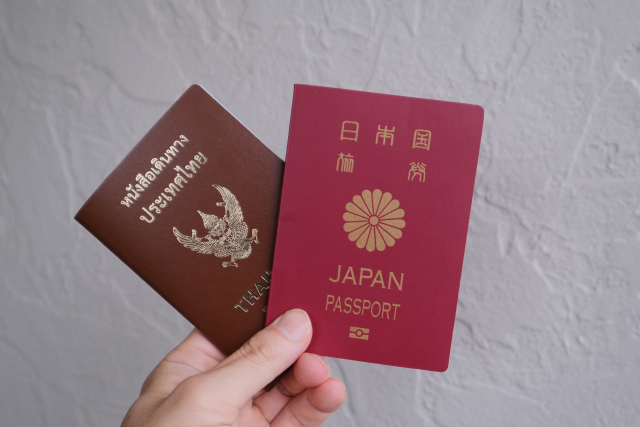
TDAC is a procedure for submitting entry information in advance; it is not a visa. Please check separately to confirm whether you need a visa.
Also, just because you’ve submitted your TDAC doesn’t mean you’ve been granted entry.
"Delivering information before arrival"Advance Declaration"It's easier to picture when you think of it that way."
Before traveling, it’s a good idea to check official sources, such as the Ministry of Foreign Affairs’ Overseas Safety website, for peace of mind.
In addition to your TDAC, it’s a good idea to check the expiration date of your passport and other details to be on the safe side.
Thailand Arrival Card (TDAC) Online
5 Steps to Writing

To use TDAC, open the official website, enter the required information step by step, and then submit it.
Have your passport, flight information, accommodation details, and email address ready, and enter all the informationEnglishWe will hold it there.
If you prepare in advance, everything will go smoothly!
Once you're all set for entry, check this out!
▼Click here for recommended Phuket tours▼



Step 1
Open the official website and select Japanese
First, go to the official website of the Thai Immigration Bureau (tdac.immigration.go.th) using your smartphone or computer.
In the upper-right corner of the screenLanguage SelectionYou can select Japanese, but the text you enter will be in English.
When you're ready, click the "Arrival Card" button (displayed as "入国記録" in Japanese) to proceed to the entry screen.
Since you can do everything with just your smartphone, you can complete the process whether you're at home or on your way to the airport.
The official website also provides a Japanese user guide, so if you're unsure, take a look.
Step 2
Enter your passport information and personal information
Next, enter your passport information and personal information. Please proceed while referring to the photo page of your passport.
You can scan the MRZ (the two lines of text) at the bottom of your passport, upload an image to have the information filled in automatically, or enter the information manually.
Even when importing data from MRZ, be sure to review the content each time. Enter names exactly as they appear on the passport.
The drop-down menu is convenient because suggestions appear after you type three characters.
If you're going as a family, you can submit as a group all at onceServes up to 10 peopleYou can register until then.
You might want to take this opportunity to check whether your passport is still valid.
Step 3
Enter Travel Information and Accommodations
Next, enter your travel information and details about your accommodations in Thailand. Please have your arrival date, flight number, and the name and address of your accommodations ready.
Since you'll need to enter the hotel name and address in English,Reservation Confirmation EmailIt's handy to keep it close at hand.
The flight number is listed on your ticket or reservation confirmation, so please enter it while referring to those documents.
If you haven't decided on a place to stay yet, please make a reservation first before entering your information.
If you're submitting as a group and the travel information is the same, you can use the same details as the previous traveler.
When you're done entering your information, click the "Continue" button to proceed to the next screen.
Step 4
Enter Your Health Information
Next, you'll need to fill out the health declaration form in accordance with the Ministry of Health's guidelines.
If the countries you visited within two weeks prior to arrival, your country of departure, your nationality, or your flight meet the criteria specified by the Ministry of Health, you will be required to provide the necessary health information.
If this applies to you, just follow the on-screen instructions to enter the information, and you'll be fine.
The specific items may change, so please refer to what's displayed on the screen.
Once you've finished entering your information, click the "Preview" button to proceed to the confirmation screen.
Step 5
Review the content, submit it, and save the QR code
On the confirmation screen, check to make sure the information you entered is correct. If there are any errors, click “EditYou can fix it by clicking the "..." button.
If everything looks good, enter your email address for receiving messages, agree to the Terms of Service, and click the "Submit" button.
Once you submit the form, you'll be able to download the card, and a copy will be sent to the email address you entered. The confirmation email will includeQR CodeIt comes with that, too.
It’s a good idea to save it on your smartphone or print it out so you can show it right away at immigration.
Depending on how the email is displayed, you may be able to use the automated gate (ABC).
If you don't receive the confirmation email, please check your spam folder.
Official Website · Free · Online
Answer Your Questions
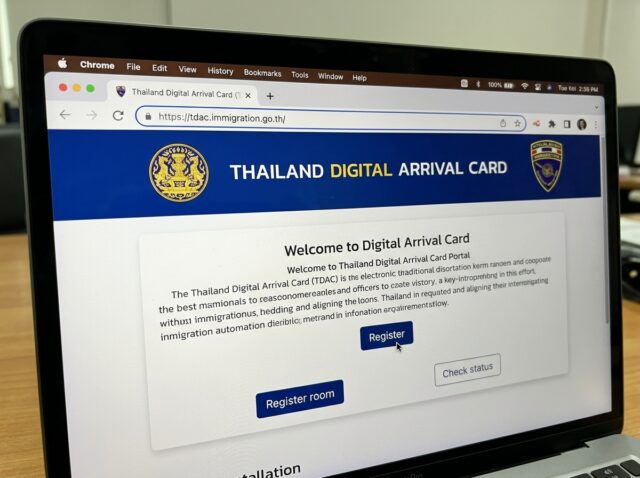
There is only one official TDAC website, and it is free of charge.
When you search, similar sites will also come up, so it's a good idea to know how to tell them apart.
We'll clear up any questions you have about money right here!
If you're not sure what to do while you're there, try this!
▼Click here for recommended Phuket tours▼



Which One Is the Official Website? How to Spot Fake Websites
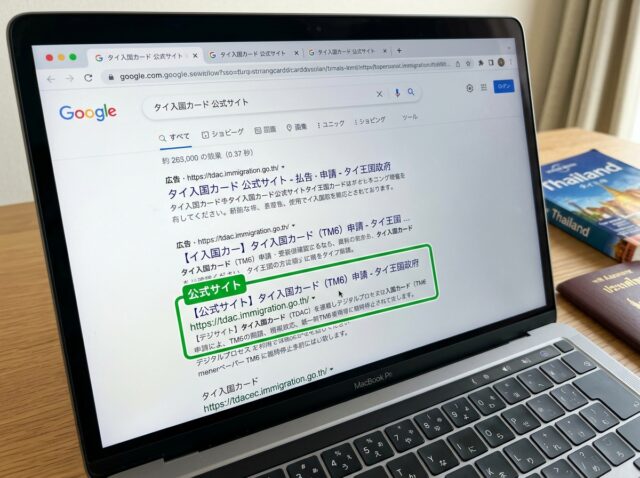
The official website URL is “tdac.immigration.go.th,” and the ending is “.go.th" is a domain name registered by the Thai government.
In search results, ads for third-party sites may appear above the official website. Be sure to check the URL.
The Ministry of Foreign Affairs has also issued a warning about incidents in which people are charged fees or asked to enter their credit card information through sites other than the official website.
You will never be asked to make a payment on the official website, so if you receive a bill,Fake websiteLet's be skeptical of that.
It's a good idea to bookmark the official website so you can open it easily without getting lost.
You can enter information on behalf of your family members, but be sure to do so on the official website.
Does it cost anything? You can submit it for free.

The Thailand Arrival Card (TDAC) isFreeThat's right. As long as you submit it through the official website, there is no charge.
Websites that state, “Submitting a form costs money,” may be paid submission services or fake sites.
In fact, there have been cases where people submitted their information through sites other than the official one and were charged a fee.
If a screen appears asking you to make a payment, stop what you're doing and check the official website's URL.
You don't need to hire someone to do it for you—if you have a smartphone, you can submit it yourself. Just knowing that it's free on the official website can help you avoid unnecessary expenses.
Common Concerns Before and After Submission

We've compiled a list of common points of confusion, such as when to submit, how to make corrections, and how to handle transit.
If you know this in advance, you won't have to rush around before you leave.
Feel free to start reading wherever you'd like!
Once your travel plans are set, this is the one!
▼Click here for recommended Phuket tours▼



When can I submit it?

TDAC, including the day of arrival in Thailand,3 days agoYou can submit it starting from that date. You cannot register for a date earlier than that.
You'll probably want to register as soon as you book your flight, but let's wait until the day you can submit your application.
If you add “Submit the TDAC three days before arrival” to your pre-departure checklist, you won’t forget to do it.
Even if your flight date changes, rest assured that you can update the information you've already submitted later.
Can I correct it if I make a mistake?
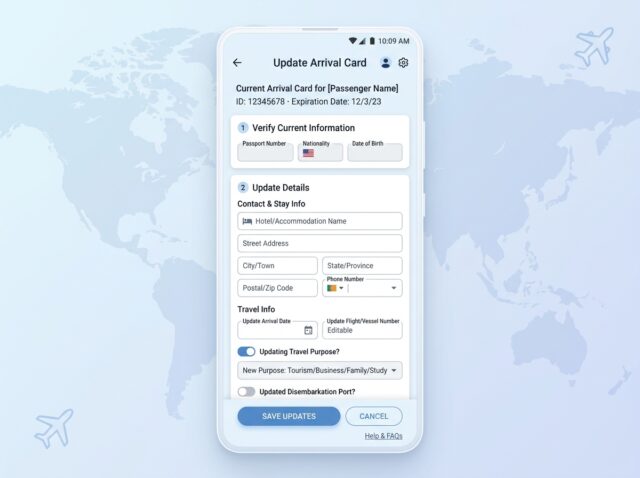
Even if you notice a mistake after submitting it, you can update it as long as it's before the due date.
Go to the "Update Arrival Card" section on the official website, enter your TDAC number, date of birth, and nationality to search for your record, and then correct the information.
Once you've made the correction, just enter your email address again and click "Send," and you'll receive a new card.
However, the name, nationality, and date of birth areCannot be edited. When entering the information, compare it with your passport and check it carefully.
The update procedure is also explained in a video in the guide on the official website.
Is a transit ticket alone enough?

If your final destination is in another country and you’re just connecting through Thailand without going through immigration, then TDAC’sNo registration requiredIt is.
However, if you have purchased separate airline tickets and need to enter the country once to retrieve your luggage, you will need a TDAC.
Even for the same layover, the way the flight tickets are booked can affect how it’s handled, huh?
It's easy to overlook this, so why not double-check your reservation details?
If you're unsure, it's a good idea to check with the airline you're flying with for peace of mind.
Regarding the Thailand Arrival Card (TDAC)
Frequently Asked Questions (FAQ)
As long as you submit your application through the official website, it is free. If a screen asking for payment appears, it may be a paid third-party service or a fake website. Be sure to check that the URL ends with “tdac.immigration.go.th.”
You can switch the official website to Japanese using the language selector in the upper-right corner, but you'll need to enter information in English. Since you'll also need to enter the hotel name and address in English, it's easiest to proceed while referring to your reservation confirmation email.
With the "Group Submission" feature, you can register up to 10 people at a time. If the travel information is the same, you can also use the same details as the previous traveler.
summary

Thailand's entry card has changed from a paper form to the online TDAC system.
Submissions are dueFree on the official websiteYou can do this starting three days before your arrival date.
Enter your passport information, flight details, and accommodation information in English, and be sure to save the confirmation email.
Be careful of fake websites and paid booking services, and enjoy your trip to Thailand with peace of mind!
▼Click here for related articles▼